Resource Manager Workbench
A centralised enterprise resource planning platform designed to reduce operational friction and enable intelligent workflows across large, complex teams.
Client:
Microsoft
Duration:
12 months
.
My Role
I played a key role in the product thinking and end-to-end UX design of the Resource Manager Workbench. I contributed across research, workflow definition, and high-fidelity design, partnering closely with designers, PMs, and engineers to deliver scalable, Fluent UI–aligned enterprise solutions.
Skills
UX Research Wireframes UI Design Prototyping Usability Testing Product Thinking
Tools
Figma
Overview
Context
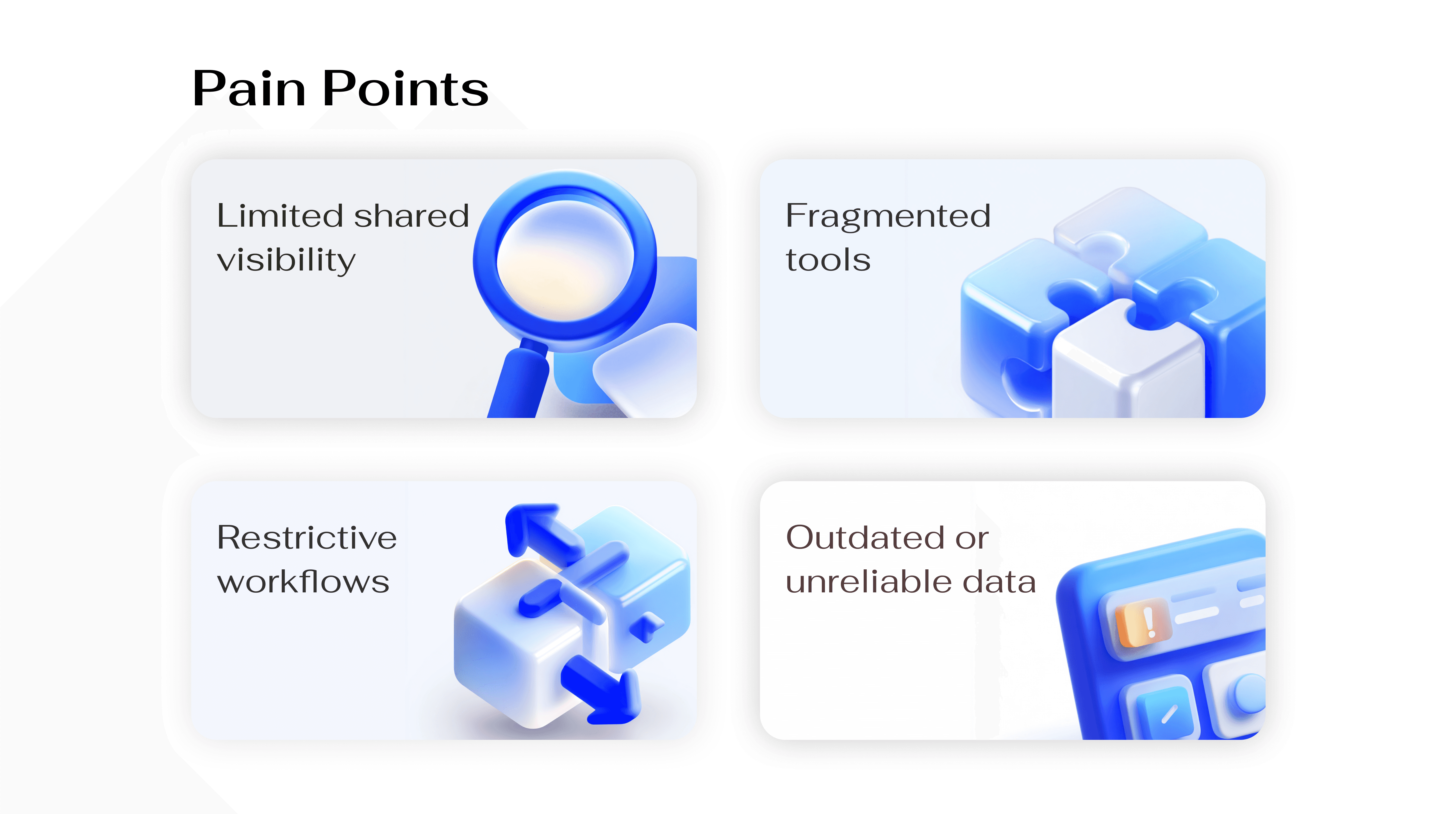
At Microsoft, workforce and resource management was handled through a combination of disconnected tools and spreadsheets, resulting in fragmented data and limited visibility across teams and programs.
The Problem
Existing systems did not offer a unified view of team capacity, resource availability, or project timelines. Fragmented tools and static reporting made it difficult for teams to plan, allocate, and forecast resources at scale.
Resource Managers spent significant time manually consolidating data from multiple sources, leading to inefficient planning cycles, limited forecasting capabilities, and reduced confidence in decision-making. This led to manual effort, low data confidence, and delayed decisions, impacting delivery timelines and organisational efficiency.
Key Insights
Users need quick utilisation summaries without deep data exploration
Decision-makers prefer predictive insights over static reporting
Inconsistent terminology across roles causes collaboration friction
These insights highlighted the need for a more intelligent, flexible, and shared staffing experience.
Solution
A platform to automate manual tasks, improve visibility, and enhance decision-making
Research Overview
To deeply understand staffing workflows and challenges, a comprehensive Staffing Research study was conducted with 25+ Resource Managers, complemented by an analysis of competitive enterprise platforms.
Research Methods
- Stakeholder interviews with Resource Managers and staffing partners
- Contextual inquiry to observe real-world staffing workflows
- Heuristic evaluation of existing tools and enterprise platforms
Design Direction & Challenges
Research insights revealed the need for speed, shared visibility, and flexibility across complex staffing workflows. These findings shaped the following design principles:
Clarity over complexity - surface key signals without overwhelming users
Predictive by default - prioritize forward-looking insights over static data
Shared visibility - make ownership and status clear across stakeholders
Flexible workflows - support real-world staffing scenarios, not rigid flows
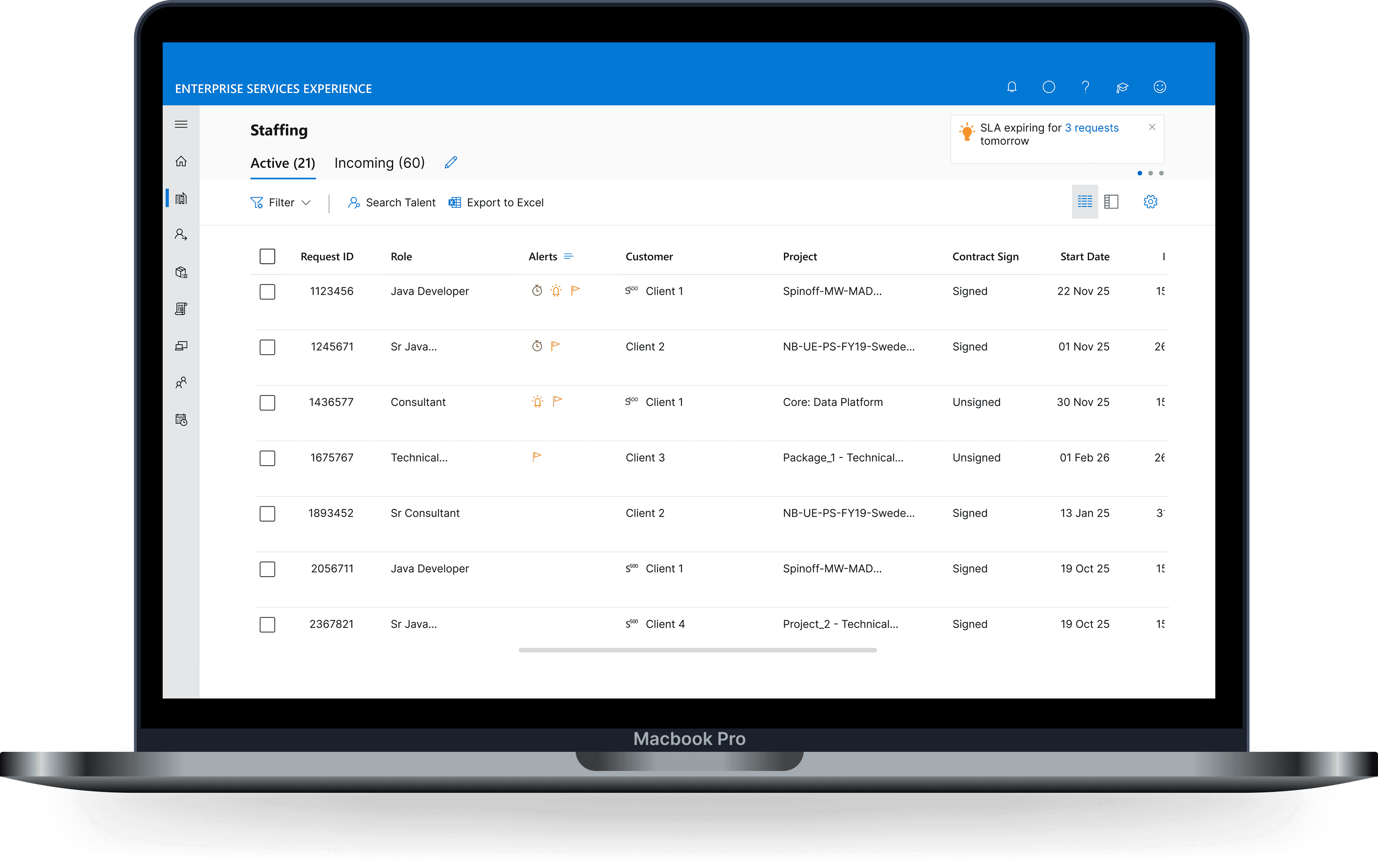
The Resource Manager Workbench is a centralised enterprise platform designed to help organisations plan, allocate, and track resources, primarily people and their skills to meet project and business goals.
The platform replaces fragmented spreadsheets and manual workflows with a unified, intelligent dashboard that improves visibility, planning accuracy, and decision-making efficiency.
Key capabilities include capacity planning, workload visualisation, scheduling, and project dashboards, all built using Microsoft’s Fluent UI to ensure clarity, accessibility, and scalability for enterprise use.
Key features & functionality
Dual Layout Views
Two complementary layouts support both high-level planning and detailed execution.Request Grouping
Requests can be grouped by project, customer, or priority to simplify organization and decision-making.Single Request Detail Page
A dedicated page surfaces all relevant context, history, and actions for each request.Multi-Tab Workflow
Requests can be opened in new tabs, enabling Resource Managers to work on multiple items in parallel.
Components & Patterns
Persistent Header
Provides consistent navigation and quick access to key actions.
Advanced Filters
Enables narrowing requests based on context, status, or priority.
Custom Search
Allows fast discovery of specific requests or data points.
Custom Sorting
Supports flexible prioritization based on workload, timelines, or urgency.
Settings Panel
Offers control over preferences and display configurations.
InFocus Tab
A dedicated space to track priority requests and follow-ups at a glance.

The Resource Manager Workbench brought clarity to a complex, fragmented staffing ecosystem by unifying planning, visibility, and collaboration into a single, scalable platform. Grounded in research and aligned with Microsoft’s Fluent UI, the final solution enabled Resource Managers to plan more efficiently, manage multiple requests with confidence, and make informed decisions using reliable, real-time data. The workbench transformed operational workflows into an intuitive, enterprise-ready experience built for scale.
Key LearningsAI
- Future possibilities